No-Code AI Workflow Tools for SaaS
Learn how to integrate LLM APIs and AI components into existing SaaS workflows using modern visual workflow platforms and structured backend architectures.

Integrating large language models (LLMs) and custom AI logic into product workflows no longer requires dedicated machine learning engineers or months of backend restructuring. Modern no-code AI workflow builders allow SaaS teams to chain foundational models, transform unstructured input data, and inject dynamic outputs directly into live user experiences. This guide details how product managers and operators can systematically implement no-code AI logic inside existing software architectures.
Understanding the No-Code AI Orchestration Layer
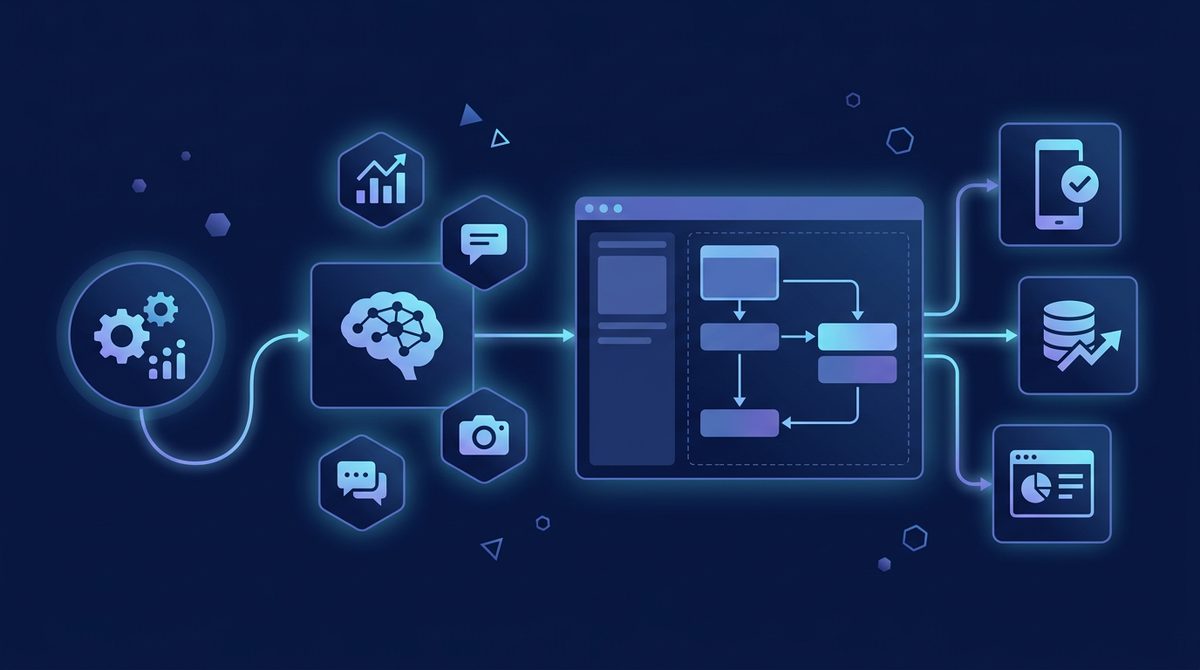
To integrate AI into an existing SaaS product, you must treat the no-code AI tool as an orchestration middleware. Rather than calling an LLM API directly from your primary app database, your application triggers a webhook to an orchestration engine. The orchestration layer handles context assembly, prompt template population, model execution, response parsing, and error handling before sending clean JSON back to your frontend or backend.
This decoupling prevents model lock-in and protects your application's reliability. If an upstream AI provider experiences latency spikes, your orchestration middleware can handle fallbacks, retry loops, or graceful rate-limit handling without crashing your core app. It also gives non-engineering teammates full control over fine-tuning system prompts and testing alternative model endpoints.
Core Tools for Chaining Models and Custom Logic
Selecting the right engine depends on your data privacy requirements, execution volume, and the complexity of your state logic. Below is a breakdown of top visual builders currently used by production SaaS teams.
| Tool Name | Primary Architecture Style | Key Strengths | Approximate Entry Pricing |
|---|---|---|---|
| Make | Hosted visual scenario builder | Massive native app ecosystem, flexible webhook listeners, easy JSON parsing. | Free tier available; paid plans start around $9/mo. |
| n8n | Open-source / Self-hostable node graphs | Native AI/LangChain nodes, high data privacy, customizable vector database connectors. | Self-hosted free; managed cloud from approx. €20/mo. |
| Flowise | Drag-and-drop LangChain interface | Purpose-built for RAG architectures, custom agents, and open-source model execution. | Open-source free; hosted options vary by provider. |
| BuildShip | Low-code cloud backend builder | Generates cloud functions via visual nodes, native support for modern LLMs and custom code. | Free tier available; Pro plans start around $25/mo. |
Note: Pricing, feature sets, and tier thresholds change frequently. Please verify current rates on each vendor's website before making infrastructure decisions.
Step-by-Step Implementation Blueprint
Implementing an automated AI feature—such as an automated customer feedback tagger or an AI-powered onboarding assistant—follows a standardized four-step architecture.
1. Webhook Ingestion and Payload Structuring
Initiate the process by sending a POST request from your primary app (e.g., Bubble, FlutterFlow, or a custom React frontend) to your visual builder's webhook listener. Ensure the payload contains essential metadata alongside raw context:
{ "user_id": "usr_8921", "tenant_id": "org_443", "raw_input": "Customer reported unable to sync Stripe webhooks.", "timestamp": "2026-03-29T10:15:00Z" }
2. Vector Retrieval and Context Encodings (RAG)
If your AI task requires product context, insert a vector search node into your visual flow. Query a vector database like Pinecone, Qdrant, or Supabase Vector to retrieve relevant knowledge chunks. Your flow then injects these returned snippets into the prompt payload as grounding data, keeping model responses anchored to actual product facts.
3. Model Execution with Dynamic Guardrails
Pass the combined system prompt, context chunks, and user input to your chosen model node (e.g., Claude 3.5 Sonnet or GPT-4o). Enforce strict JSON output schemas inside the node settings. Using structured outputs prevents downstream parsing errors in your web application.
4. Validation, Storage, and Callback Execution
Run the output through an validation step to confirm all required schema key-value pairs are populated. Once validated, write the enriched structured data directly back to your application database via API, or reply immediately to the incoming webhook response so your frontend can render the result synchronously.
Case Study: Adding AI Triage to a Product Analytics Dashboard
A mid-sized B2B SaaS platform wanted to convert raw user error logs into plain-English explanations with recommended remediation steps inside their developer portal. Building this in-house using traditional backend engineers was estimated at four weeks of sprint capacity.
Instead, the product team deployed an n8n workflow in two days:
- Trigger: Application backend posts crash logs directly to an n8n webhook URL whenever an unhandled exception occurs.
- Processing: The n8n graph parses the stack trace, queries an internal documentation database stored in Qdrant, and builds a grounded prompt payload.
- Model Call: A structured LLM node categorizes the bug severity, summarizes the root cause, and generates a code fix snippet in strict JSON format.
- Output: The parsed result is posted back to the app database via webhooks, populating the user's dashboard in under two seconds.
This implementation saved weeks of core engineering work while giving the product team an immediate interface to tweak system prompts as new error patterns emerged.
Production Guardrails: Error Handling, Rate Limits, and Security
While visual AI builders speed up deployment, running AI workloads in production requires explicit operational guardrails:
- Fallback Routing: Always configure secondary model paths. If your primary LLM endpoint encounters a 503 error or rate-limit throttle, route the execution automatically to a fallback vendor model.
- Cost Governance: Token usage scales linearly with user activity. Implement client-side debouncing and cache frequent API calls in Redis or your visual workflow's native state store to avoid running redundant LLM invocations.
- Data Sanitization: Strip sensitive user identifiers, passwords, and personal information (PII) using regex or transformation nodes before pushing context data to third-party model providers.
Key Takeaways and Next Steps
Integrating AI components into your SaaS stack doesn't require rebuilding your core infrastructure. By deploying no-code orchestration platforms like Make, n8n, or BuildShip, product teams can rapidly test, roll out, and maintain sophisticated LLM features with minimal backend engineering support.
Ready to select the right automation architecture and visual stack for your software product? Browse the SaaSafi directory to explore top-rated no-code workflow tools, integration platforms, and AI builder apps.
- #no-code
- #ai workflows
- #saas integration
- #llm apis
- #automation
Frequently asked questions
How do visual workflow tools connect to existing SaaS software?
By treating no-code builders (like n8n or Make) as orchestration middleware, you connect your app via webhooks. Data is transformed, enriched with model outputs, and passed cleanly back into your app database without changing core backend infrastructure.
Are no-code AI tools fast and reliable enough for production SaaS apps?
Yes. Modern visual orchestration engines natively support structured outputs (JSON schema enforcement), fallback model routing, and error-handling paths, making them reliable enough for production-grade workloads.
How can I manage LLM costs when running high-volume no-code AI workflows?
Implement response caching for common queries, limit token usage by trimming system prompts, use smaller fine-tuned models for basic tasks, and set operational alert thresholds on workflow execution volumes.
SaaSafi Team
Editorial
Written by the SaaSafi Team — we test and track SaaS tools for founders and operators.
Get the weekly issue
One email a week: new articles, tool teardowns and pricing finds. No spam, unsubscribe anytime.


Comments
No comments yet — start the conversation.