Obsidian vs Logseq: PKM Tool Guide
An in-depth guide comparing Obsidian and Logseq for modern operators. Compare local-first architectures, block outliners, document vaults, privacy, and workflows.

Personal Knowledge Management (PKM) has shifted from cloud-hosted proprietary silos toward privacy-focused, local-first architectures. For founders, operators, and technical builders, choosing between Obsidian and Logseq comes down to a fundamental paradigm choice: document-based freeform note-taking versus structured, outliner-driven graph mapping.
The Local-First Architecture Paradigm
Both Obsidian and Logseq operate on a local-first philosophy, storing your entire knowledge base on your personal hardware as plain text files. This eliminates vendor lock-in, ensures zero-latency access, and keeps sensitive corporate strategies, product roadmaps, and intellectual property entirely off third-party cloud servers unless explicitly synced.
However, the underlying data models differ significantly in how information is written, visualized, and retrieved. Obsidian uses standard Markdown files (.md) structured as distinct documents within a traditional directory hierarchy. Logseq, on the other hand, operates as a strict outliner that uses block-level formatting, saving data as Markdown or Org-mode files where every single line item functions as an independent node in a database.
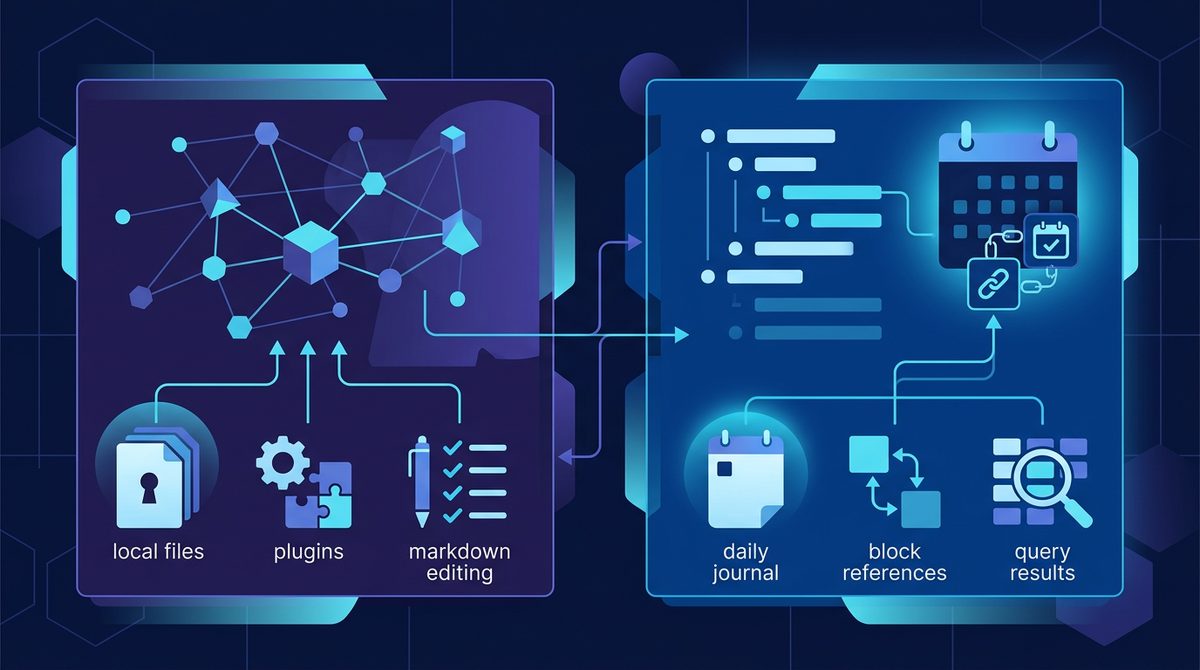
Obsidian: The Extensible File-Based Canvas
Obsidian treats note-taking as a flexible writing experience centered on individual documents. Its core strength lies in its ecosystem maturity, performance stability, and visual customization capabilities.
- Document-Centric Storage: Files exist as standard Markdown documents inside a designated system folder (a "Vault"), making them instantly compatible with external IDEs, script automation, and standard Git repositories.
- Extensive Plugin Ecosystem: With thousands of community plugins, users can transform Obsidian from a simple note editor into a Kanban board, project manager, or full canvas interface using tools like Dataview or Excalidraw.
- Performance & Scale: Obsidian handles massive vaults containing tens of thousands of long-form Markdown files without encountering indexing lag or rendering latency.
Logseq: The Block-Level Outliner Graph
Logseq approaches knowledge capture through the lens of individual thoughts rather than structured articles. It forces a bulleted, hierarchical structure where every block can be referenced, embedded, or queried across your entire graph.
- Block-Level Reference Engine: Unlike Obsidian's page-level links, Logseq treats every paragraph or bullet point as a unique atomic entity, enabling hyper-granular backlinking and context retrieval.
- Built-in PDF Annotation & Flashcards: Native functionality includes deep PDF highlighting with direct link extracts, alongside an integrated spaced-repetition card system for accelerated learning.
- Journal-First Workflow: Logseq opens by default to a continuous daily log, encouraging friction-free rapid capture without requiring users to decide on folder locations or file titles beforehand.
Head-to-Head Comparison
To choose the right tool for your workflow, examine how their core functional features compare side by side:
| Feature Axis | Obsidian | Logseq |
|---|---|---|
| Core Data Structure | Document-based freeform text (.md) | Block-based hierarchical outliner (.md / .org) |
| Primary Interface | Folder tree, tabbed editor, flexible canvas | Daily journal log, bullet hierarchy, graph view |
| Default Link Granularity | Page-level (Block referencing via specialized syntax) | Native block-level referencing and embedding |
| Extensiveness & Plugins | Extensive mature community marketplace | Growing plugin directory, focused on outliner features |
| Open Source Status | Proprietary core (Free for personal use) | 100% Open Source (AGPL-3.0 License) |
| Official Cloud Sync | Obsidian Sync (~$4 to $8/mo, end-to-end encrypted) | Logseq Sync (~$5/mo preview/tier pricing) |
Note: Pricing, subscription tiers, and feature limits listed above are approximate and subject to change. Please verify current pricing directly on the vendors' official sites before making a purchasing decision.
Real-World Case Study: Managing a Technical Product Launch
To understand the practical operational differences, consider an engineering founder preparing for a major infrastructure migration and software launch.
Using Obsidian: The founder creates a dedicated project note called v2-Migration.md inside a /Roadmaps folder. They write long-form architectural specifications, embed visual diagrams using Excalidraw, and use the Dataview plugin to generate dynamically filtered tables showing open tasks pulled from various team meeting notes across the vault. The notes read like technical whitepapers, perfectly organized for long-term reference and asynchronous distribution.
Using Logseq: The founder dumps thoughts daily directly into the automatic Journals view. They type a quick bullet: - Discussed database sharding with [[@EngineeringLead]] #v2-Migration. Beneath it, they indent individual block tasks. Weeks later, opening the page v2-Migration automatically aggregates every single block across every daily journal entry where that tag or link was mentioned, creating an effortless, chronological audit trail without manually creating or organizing files.
Data Sovereignty, Privacy, and Sync Options
For operations teams managing confidential data, local file ownership is non-negotiable. Both platforms ensure your data remains on your device, but synchronization methods differ in practice.
Obsidian offers an official end-to-end encrypted (E2EE) Sync service, but users can also synchronize vaults for free using Git, iCloud, Syncthing, or standard enterprise cloud storage. Logseq offers a built-in encrypted sync service while natively supporting Git auto-commits, making it popular among open-source purists who demand full transparency into how data is serialized.
Which Tool Should You Choose?
Your choice depends on your cognitive note-taking habits and workflow output preferences:
Choose Obsidian if you produce long-form documentation, prefer traditional document structures, rely heavily on visual canvas whiteboards, and want an established marketplace of plugins to build a customized workspace environment.
Choose Logseq if you prefer rapid daily journaling, think in nested outlines, need native PDF research annotation tools, and want an open-source tool that handles block-level queries automatically without folder maintenance.
Final Takeaway
Both Obsidian and Logseq represent the elite tier of local-first, privacy-respecting knowledge tools for founders and operators. Choosing between them is not a matter of which tool has more features, but whether your mind operates best as a library of structured documents or a connected graph of atomic bullet points.
Looking for the right productivity, note-taking, or developer software for your stack? Browse the SaaSafi tool directory to discover and compare top-rated SaaS solutions for your business.
Related reading on SaaSafi
- #obsidian
- #logseq
- #productivity
- #pkm
- #knowledge management
Frequently asked questions
What is the fundamental difference between Obsidian and Logseq?
Obsidian stores long-form Markdown documents inside a standard file folder tree, making it ideal for structured writing. Logseq operates as an outliner where every bullet point is an atomic block inside a database-like graph, ideal for rapid journaling and deep backlinking.
Can I use Obsidian and Logseq on the same set of local files?
Yes. Because both systems save your raw data as plain Markdown files on your local drive, you can point both Obsidian and Logseq to the exact same local folder (vault/graph). However, syntax differences in block ID generation and plugin formatting may require tweaking.
Are Obsidian and Logseq open-source and free for commercial use?
Obsidian is proprietary software that is free for personal use, requiring a paid commercial license for business operations. Logseq is fully open-source under the AGPL-3.0 license and free to use across personal and business settings.
SaaSafi Team
Editorial
Written by the SaaSafi Team — we test and track SaaS tools for founders and operators.
Get the weekly issue
One email a week: new articles, tool teardowns and pricing finds. No spam, unsubscribe anytime.


Comments
No comments yet — start the conversation.