Make vs n8n: Automation Tool Comparison
A technical, practical comparison of Make vs n8n. Explore architecture, operation vs execution cost scaling, and migration strategies for enterprise and SaaS ops.

Modern SaaS ops teams inevitably hit a wall where visual, trigger-based workflows outgrow simple point-to-point Zapier recipes. Choosing between Make (formerly Integromat) and n8n comes down to a fundamental architectural trade-off: cloud-managed execution speed versus self-hosted data ownership and execution unit economics.
Architectural Differences: Managed Cloud vs. Fair-Code Self-Hosting
Make operates as a fully managed, multi-tenant iPaaS (Integration Platform as a Service). It offers a visual node canvas that excels at complex array manipulation, visual debugging, and rapid API endpoint mapping. Every operation—such as searching a database row, updating a CRM record, or passing a webhook—counts against your monthly quota.
n8n takes a fair-code, node-based approach that can be deployed via Docker, Kubernetes, or its managed Cloud tier. Its native environment uses JavaScript and TypeScript under the hood, allowing developers to execute custom code inline via Node.js runtime. Unlike Make's per-operation billing, n8n meters usage based on workflow executions (runs), regardless of how many steps or data transformations occur within a single workflow.
Note: SaaS vendors update pricing structures frequently. Please verify current pricing and execution tiers directly on Make and n8n official websites.
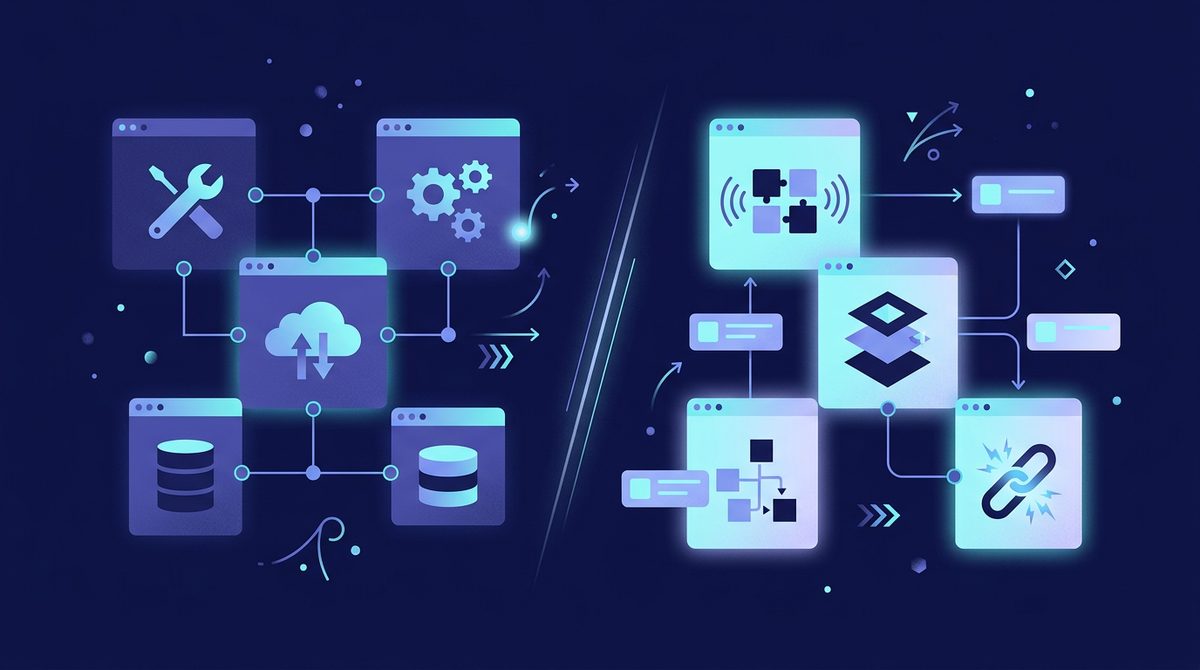
Cost Scaling Breakdown: Operations vs. Executions
Understanding how execution counting impacts your monthly unit economics is critical when processing thousands of records daily. High-volume webhook processing can quickly balloon costs on traditional per-operation tiers.
| Feature / Metric | Make (Cloud) | n8n (Self-Hosted / Cloud) |
|---|---|---|
| Billing Model | Per Operation (Approx. $9–$29+/mo base) | Per Execution (Free self-hosted, ~$20+/mo Cloud) |
| Data Privacy & Compliance | GDPR, SOC2, hosted in cloud regions | Full VPC control, self-contained compliance (HIPAA capable) |
| Custom Logic | Built-in formulas and regex modules | Native JavaScript / Python code execution nodes |
| Error Handling | Visual rollback and error directives | Sub-workflow fallback, dead-letter queues, custom scripts |
| Visual Debugging | Real-time node payload inspector | Input/Output json tree viewer with step execution history |
Concrete Case Study: Migrating High-Frequency Syncs
Consider a B2B SaaS processing 50,000 inbound product telemetry events per day to sync lead scores with Salesforce and PostgreSQL. In Make, a 5-step workflow (Webhook -> Parse JSON -> Postgres Query -> Salesforce Update -> Slack Alert) running 50,000 times generates 250,000 operations per day, totaling roughly 7.5 million operations per month. On Make's enterprise tier, this volume can reach several hundred dollars monthly.
By migrating this single pipeline to a self-hosted n8n instance on AWS ECS (costing approximately $40/month for compute and Redis instances), the team transitions from per-operation billing to standard infrastructure costs. The 50,000 daily runs count as 50,000 executions in n8n, running entirely within their private VPC. This move cuts external API exposure while dropping operational infrastructure spend significantly for high-volume jobs.
When to Choose Make
Make remains the superior choice for non-technical operations teams and growth marketers who prioritize immediate speed-to-market over server management.
- Visual Data Mapping: Drag-and-drop dynamic array iterators and aggregators without writing custom code.
- Turnkey Connector Library: Access thousands of pre-configured SaaS API integrations out of the box.
- Zero DevOps Overhead: Run production workflows without managing server capacity, Redis queues, or database instances.
- Granular Error Handling: Intercept and resolve failing payload structures dynamically using visual error-handler branches.
When to Choose n8n
n8n is built for engineering-led operations teams, technical founders, and security-conscious SaaS platforms demanding complete data control.
- Self-Hosted Data Governance: Keep sensitive customer PII, internal database queries, and HIPAA/SOC2 compliance within your dedicated AWS, GCP, or Azure VPC.
- Predictable High-Volume Economics: Run complex, multi-step iterations without incurring additional fees per inner-loop operation.
- Native Code Execution: Drop directly into JavaScript or Python nodes to manipulate complex nested JSON objects or run internal micro-libraries.
- Version Control & CI/CD: Export workflows as raw JSON files to store in Git repositories and integrate into standard deployment pipelines.
Migration Playbook: Moving Workflows from Make to n8n
To safely migrate mission-critical automation from Make to n8n without causing downtime, follow this step-by-step framework:
- Audit Operation Density: Identify your highest-volume workflows in Make by sorting execution history by operation usage. Focus on migrating high-frequency webhooks first.
- Map Schema and Credentials: Re-authenticate OAuth connections in n8n and mirror key dynamic values using n8n's expression syntax.
- Convert Array Logic to JS Nodes: Replace Make's visual Iterator and Aggregator nodes with single JavaScript Code nodes in n8n for cleaner processing and lower latency.
- Shadow Testing: Route inbound webhooks simultaneously to both Make and n8n endpoints, using a staging database to verify output parity.
- Cutover and Monitor: Shift production DNS or webhook destinations to n8n, monitoring execution logs and setting up sub-workflow error alerts to Slack or PagerDuty.
Final Takeaway: Scalability Strategy for 2026
Both Make and n8n are powerhouses in the modern automation ecosystem. Make provides unmatched visual simplicity for cross-departmental operations, whereas n8n unlocks developer-grade flexibility and self-hosted cost efficiency for scaling infrastructure. Many mature engineering organizations adopt a hybrid model: using Make for rapid GTM experiments and internal tool connections, while relying on n8n for high-throughput, security-critical data pipelines.
Ready to discover top-tier automation frameworks, operational utilities, and workflow engines to optimize your tech stack? Explore the curated directory at SaaSafi.app to find the right tools for your business today.
- #no-code
- #automation
- #make
- #n8n
- #workflow
Frequently asked questions
What is the main cost difference between Make and n8n?
Make charges per individual node operation within a scenario. n8n meters by total workflow execution runs (Cloud) or offers unlimited executions when self-hosted on your own cloud infrastructure.
Can n8n run entirely on-premises or inside a private cloud?
Yes, n8n can be fully self-hosted via Docker or Kubernetes. This allows healthcare, finance, and enterprise SaaS teams to run automations inside their VPC while complying with HIPAA, GDPR, and SOC2.
Can you automatically export Make scenarios directly into n8n?
Because workflows are structured differently, you cannot directly import Make blueprints into n8n. Migration involves mapping API credentials, converting visual iterators into JavaScript code nodes, and switching webhook URLs.
SaaSafi Team
Editorial
Written by the SaaSafi Team — we test and track SaaS tools for founders and operators.
Get the weekly issue
One email a week: new articles, tool teardowns and pricing finds. No spam, unsubscribe anytime.


Comments
No comments yet — start the conversation.